-
Step-by-step: how to issue attendance certificate
The process relies on a "master" template that the system uses to generate unique certificates for each session.
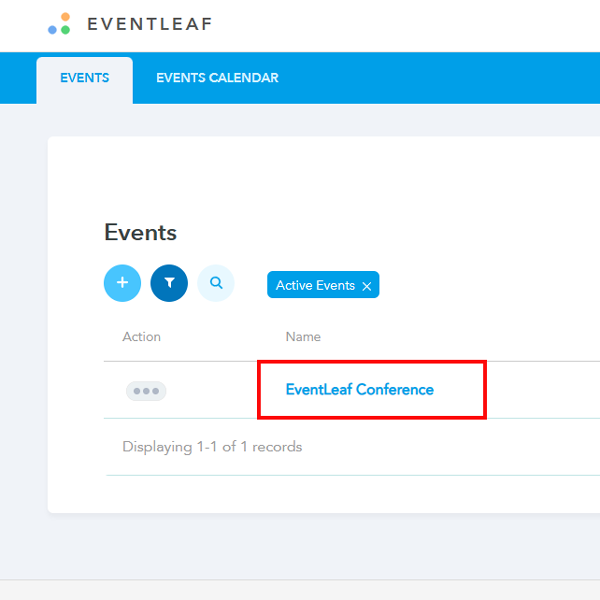
- Go to your event on Eventleaf.com
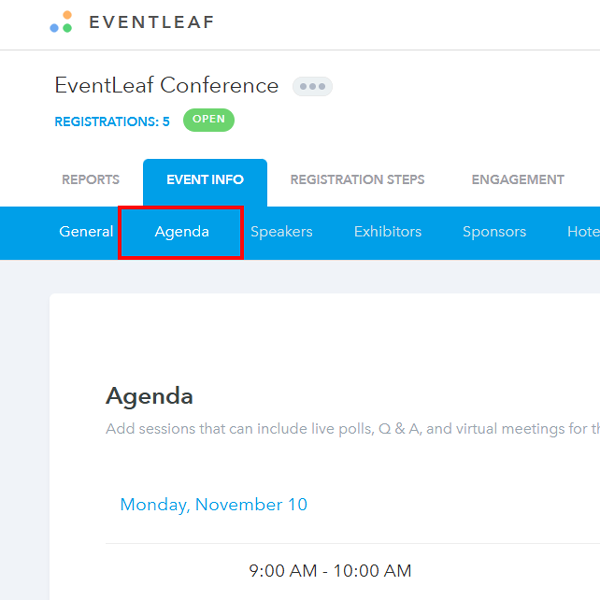
- Click on “Event info” and then “Agenda”
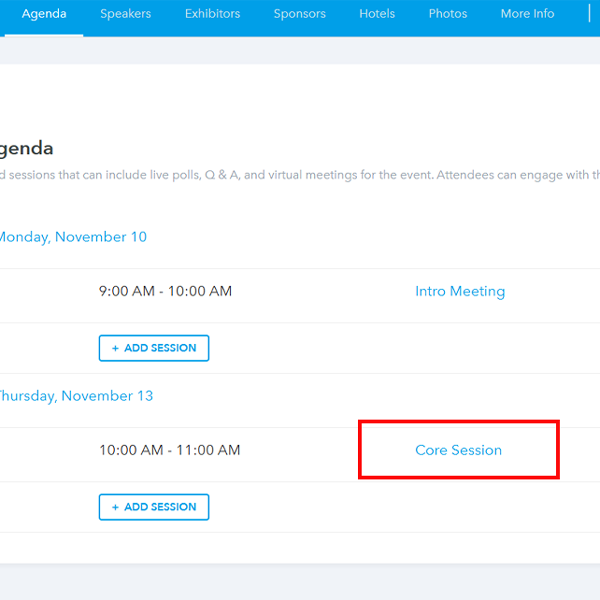
- Select the session you want to issue
- Scroll down to find “Attendence certificate and then click browse to upload the template for the certificate.
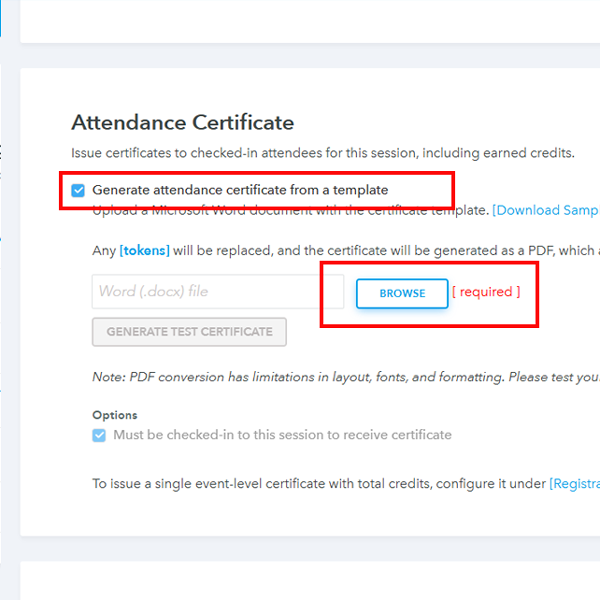
- Before uploading add the tokens to the document.
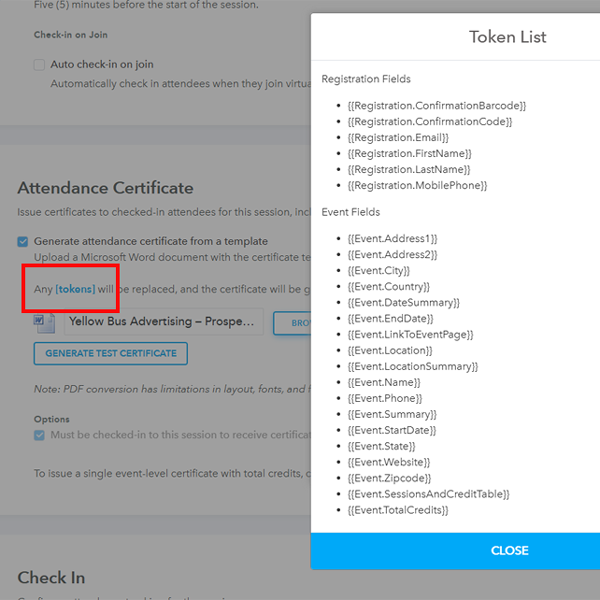
- Attendees can then download the certificate from the attendee portal.
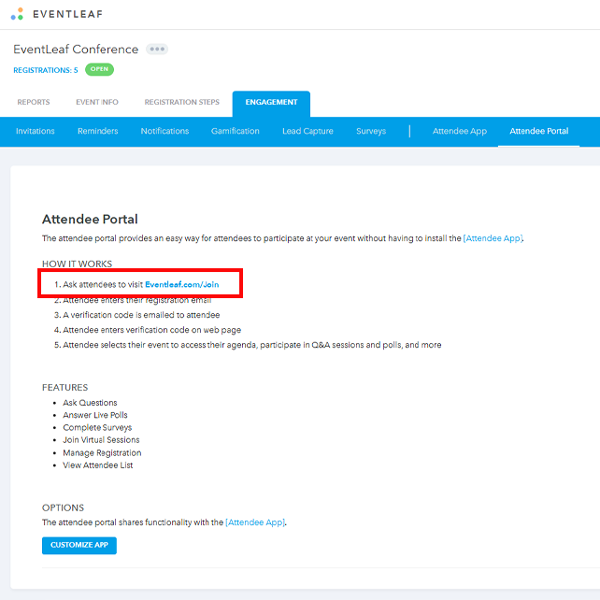
- Go to your event on Eventleaf.com
-
Practical Use Cases
Automating certificates is beneficial for most professional gatherings, but it is essential for the following scenarios:
- Accredited Conferences: For medical, legal, or engineering events where attendees require CEUs or PDH (Professional Development Hours) to maintain licensure, this feature provides a necessary audit trail without the manual paperwork.
- Corporate Training Workshops: For internal mandatory training, this system allows HR departments to instantly verify which employees have completed compliance requirements.
- Academic Seminars: Educational institutions can issue immediate, verifiable proof of attendance to students or faculty members as soon as a lecture concludes.